Payslip templates
Six layouts, each filled in with a fictional employee so you can see how real figures look. Pick one and the generator opens with it selected. Previews are free. The finished PDF is £3.99.
Each layout works as a payslip, wage slip, salary slip or PAYE payslip: the same document under different names.
Looking for Word, Excel or Google Sheets? See payslip template formats for what each one gives you.
Pick one; the generator opens with it selected.
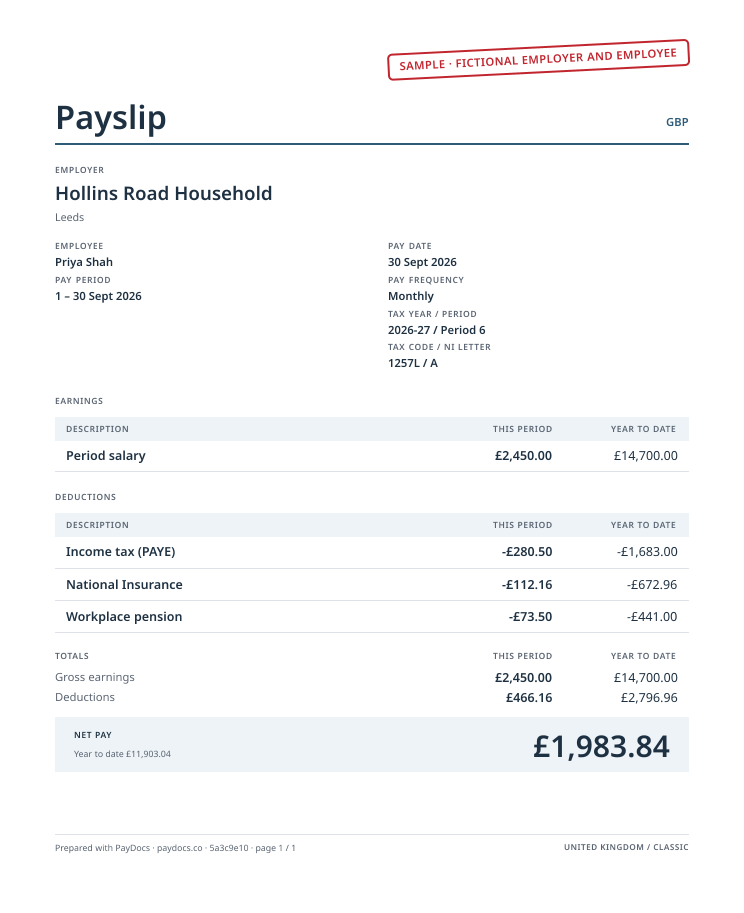
Classic payslip template
Best for most employersA traditional statement layout with ruled sections, the format most employees already know.
Use this layout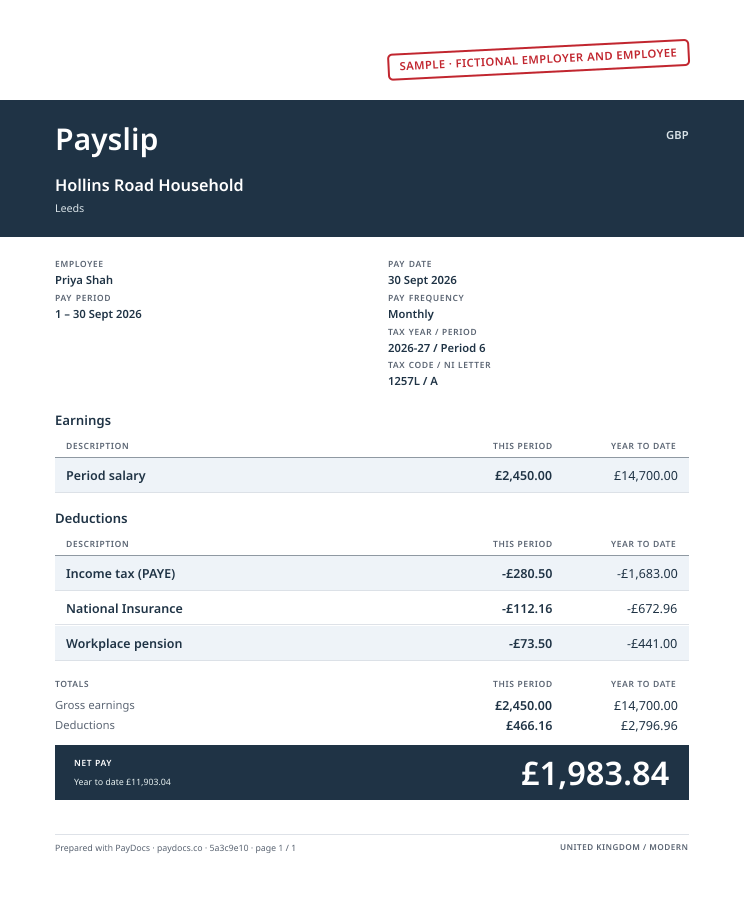
Modern payslip template
Best when net pay is what people check firstA dark header band holding the title and employer, striped rows and net pay in a dark block.
Use this layout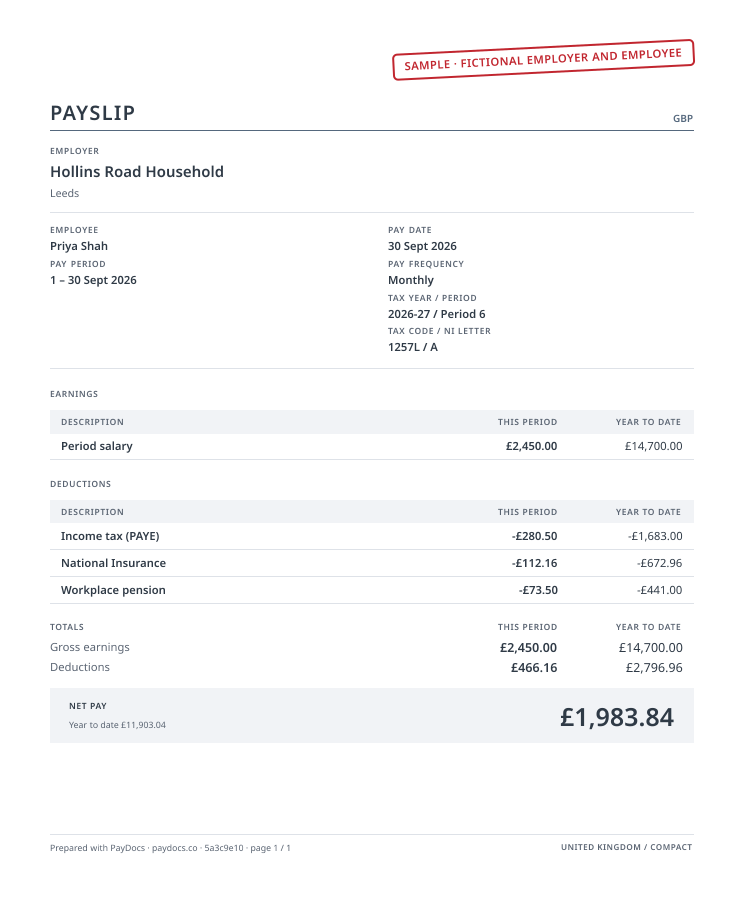
Compact payslip template
Best for detailed pay with many linesEvery detail grouped tightly. Many earnings and deduction lines still fit on one page.
Use this layout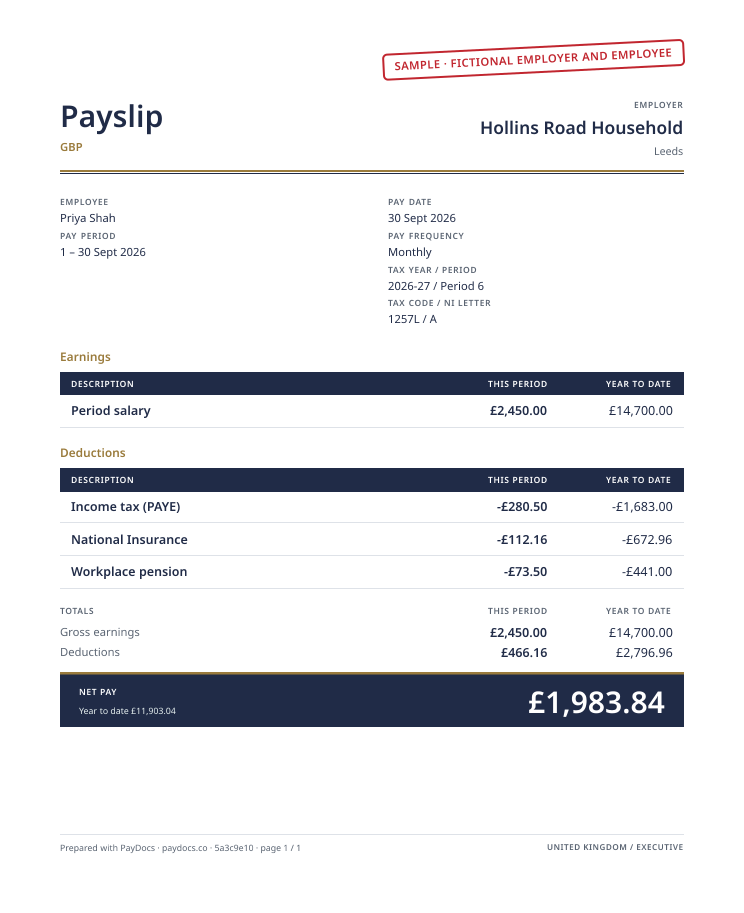
Executive payslip template
Best for a traditional, formal lookA formal statement: title left, employer right, a gold-and-navy double rule, dark column headers and net pay in a navy block.
Use this layout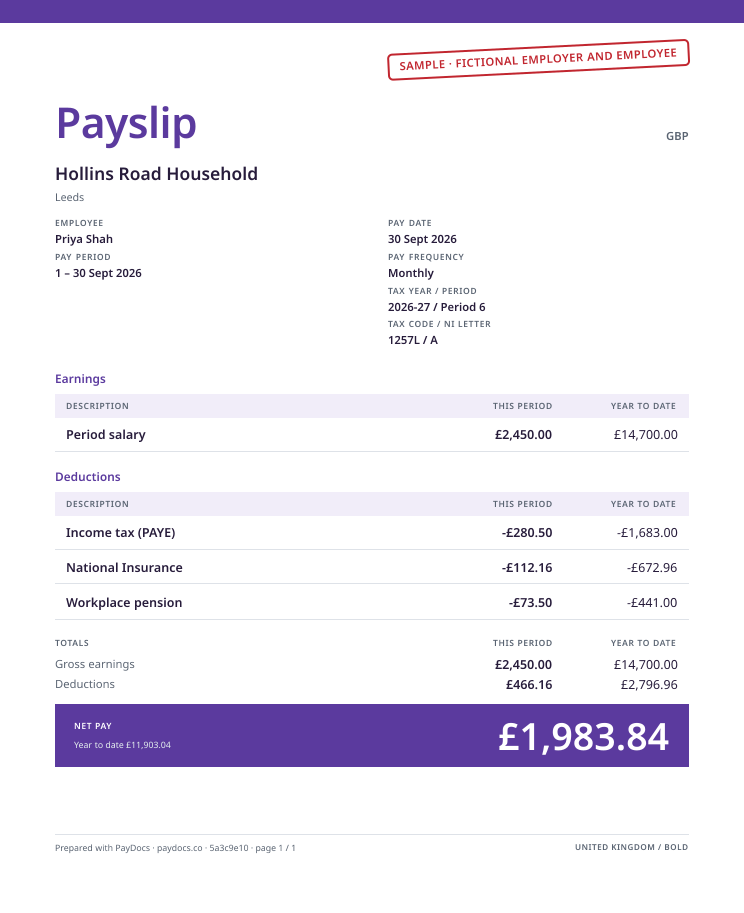
Bold payslip template
Best when you want it to stand outA colour stripe across the top, a large colour title and net pay in a filled colour panel. Easy to spot in a stack of paperwork.
Use this layout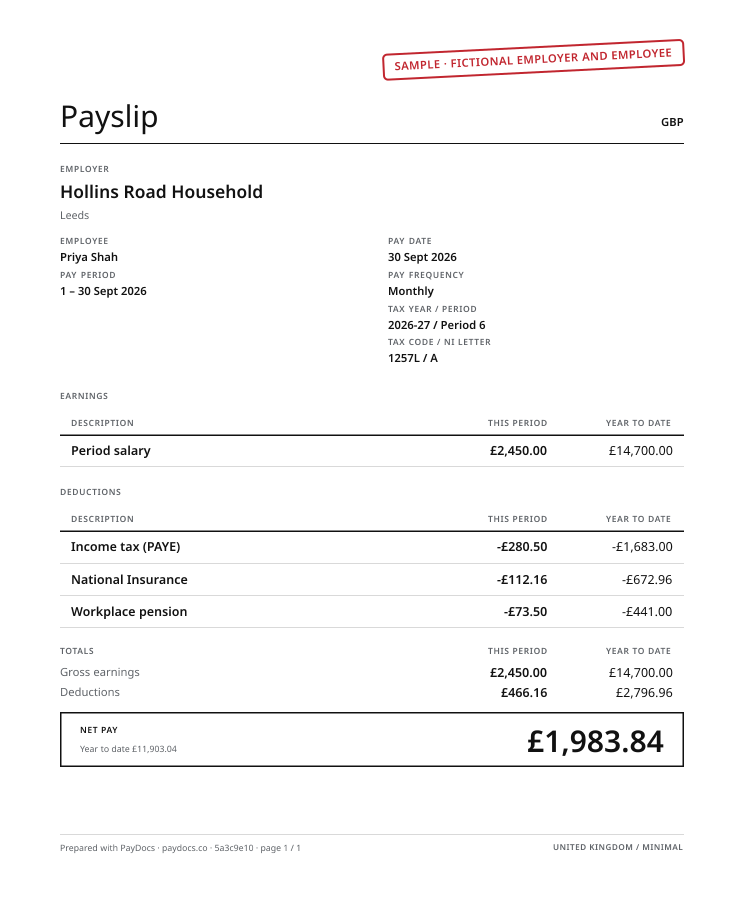
Minimal payslip template
Best for printing at home or the officeBlack and grey only, no filled blocks. Prints cleanly on any printer and uses the least ink.
Use this layout
Samples use fictional names and figures. Your payslip uses the details you enter.
Choose the right payslip template
| Template | Look | Printing | Lines per page | Use it |
|---|---|---|---|---|
| Classic | Title over an accent rule | Light tint only | Standard | Use Classic |
| Modern | Dark header band, striped rows | Uses more ink | Standard | Use Modern |
| Compact | Small capitals title, hairlines, small type | Light tint only | Most per page | Use Compact |
| Executive | Navy and gold double rule, dark net pay | Uses more ink | Standard | Use Executive |
| Bold | Colour stripe, filled net pay | Uses more ink | Standard | Use Bold |
| Minimal | Black and grey, outlined net pay | Least ink, any printer | Standard | Use Minimal |
Payslip template formats: PDF, Word, Excel or Google Sheets
| Format | What you get | Totals and year to date | Where |
|---|---|---|---|
| A finished payslip in any of the six layouts above, to print, email or save. | Worked out for you, every pay period. | Payslip generator: free to preview; the PDF is £3.99. | |
| Word or Google Docs | Not offered. A blank document is a form you fill in by hand. | Yours to add up, and to carry from one payslip to the next. | How to make a payslip lists what each line needs. |
| Excel or Google Sheets | Not offered for UK payslips. A spreadsheet leaves the tax code, National Insurance and year-to-date figures to you. | Yours to keep consistent each period. | HMRC’s free Basic PAYE Tools works out PAYE and NI for employers with fewer than 10 employees: free payroll software. |
More on UK payslips
- Electronic Payslips: Can You Email Them, and the Best Ways to Send ThemUK employers may give payslips electronically. What the law requires, the main ways to send them (email, portal, app) and how to keep pay data secure.
- Xero, Sage or QuickBooks payslips: what each costs, and a no-subscription optionWhat it costs to get payslips from Xero, Sage or QuickBooks in the UK, from their live 2026 pricing, and a route that needs no monthly subscription.
- Your payslip explained, line by lineUnderstanding your payslip: what each part of a UK payslip means, from tax code and NI number to gross pay, deductions, net pay and year-to-date totals.
- How to make a payslipHow to make a payslip from your payroll: what it must show, the details to gather, the steps in order and the checks to make before payday.
- UK take-home pay calculator
About payslip templates
Are these payslip templates free?
Free to create and preview: pick any of the six, fill in your figures and check the result, with no account or card. The finished PDF is £3.99, with no subscription.
Can I get a payslip template in Word, Excel or Google Sheets?
No. PayDocs templates fill in from the figures you enter and produce a PDF, so gross pay, deductions, net pay and year-to-date totals always add up. A blank Word, Excel or Google Sheets file leaves that arithmetic, and keeping it consistent from one pay period to the next, to you.
Is there a payslip sample or example I can look at?
Each template above is shown as a sample with fictional figures. Open one in the generator and it fills in with your own figures as you type.
Is a wage slip the same as a payslip?
Yes. Wage slip, pay slip, salary slip and payment slip are other names for a payslip: the statement of pay before and after deductions that an employee gets each payday. These templates cover all of them.
Can I add my logo?
Yes. Add your company logo as a PNG or JPEG while you create, and it appears on the payslip in every layout.
Which layout suits a nanny or household employer?
Any of them: all six show the same information. Classic is the format most people expect, and Minimal prints most cleanly at home.
Can I edit a payslip after downloading it?
Yes. Within 30 days of buying, you can issue a corrected document for the same employer, employee and pay period without paying again, as many times as you need.
Can I change the template after I start?
Yes. Switch layout at any point while you create; your figures stay exactly as they are.
Which template is best for printing?
Minimal: black and grey only, with no filled blocks, so it prints cleanly on any printer and uses the least ink. Classic and Compact use only a light tint.
What does every payslip template include?
Employer and employee details, the tax period and pay date, each payment adding up to gross pay, each deduction such as PAYE, National Insurance and pension, net pay, and year-to-date totals.
Can I use a payslip from PayDocs as proof of income?
PayDocs lays out figures you provide. It does not verify employment, certify income, or promise that anyone will accept the document.